


Bmove.com
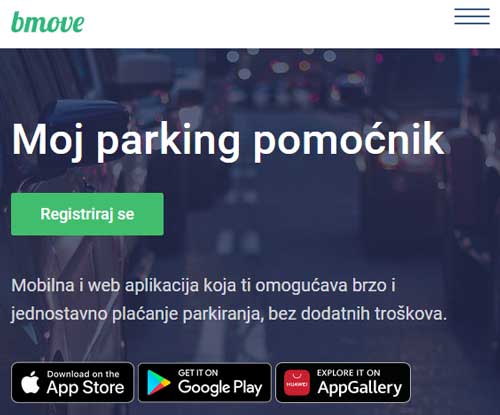
 Bmove.com is a simple mobile and web application that allows you to quickly and easily pay for parking at no additional cost.
Paying for parking in Croatia is now easier and simpler - because we care about it. Bmove.com is your parking assistant, on your smartphone or start using it right away at app.bmove.com and pay for parking with no extra costs. Enjoy your stay in Croatia!
How to use Bmove.com?
- Register
Download the app on your smartphone via the App Store or Google Play, register or log in as Guest. You can also use the Bmove service via the app.bmove.com website - Choose a payment method and park your vehicle
In your profile, add the credit card(s) you will be using for making parking payments or top up your account that will be charged for parking. That's it! Your Bmove account is ready - Choose a city and ticket type
Choose whether you want to pay for an hourly or daily ticket. Enter your license plate number, choose how many hours/days you want to park and click "Continue" - Favorites and notifications about parking expiration
Save your most frequently used parking locations and vehicles to your favorites and pay for parking in a couple of seconds. Let Bmove.com remind you about the time of your parking expiration and avoid extra costs
-
Quickly and easily pay the hourly or daily parking fee, even if you're not logged in, very similar to SMS-payments, but without the SMS sending costs
-
Bmove.com app - after simple registration process, you can always look up your account balance, make additional payments (top-up your account) or pay the parking fee (hourly or daily parking). Users can register for the Bmove.com service by entering all the requested information. Registration is confirmed in the activation email that you will receive right away. Afterwards you can just enter your email and password to access your account.
-
Račun za SMS plaćanja može se preuzeti putem Bmove.com aplikacije (u glavnom meniju odaberite "Preuzmi račun za SMS") - Budući da plaćanje SMS porukom također podliježe obvezi fiskalizacije, račun za SMS plaćanja (mParking i mGarage) može se preuzeti na adresi Bmove.com aplikacije (app.bmove.com) na kojoj je i istaknuta obavijest o fiskalizaciji, podatak o dodijeljenom ISU i oznaka poslovnog prostora. Za preuzimanje računa potrebni su podaci o datumu kupnje, registarskoj oznaci vozila, te broj transakcije/PIN.
PREPAID PARKING COUPONS
DAILY PARKING TICKET
COMMERCIAL AND PRIVILEGED PARKING PERMITS
One can pay for Bmove.com services with credit and debit cards or from your prepaid user account. In case of payment problems, contact the card issuer or Bmove.com services, in the event of a payment from your prepaid user account.
You can top up your Bmove.com account through the application by credit or debit card, by downloading a quote and making a bank transfer (Internet banking, at the bank or post office, etc.) or with a Bmove.com voucher purchased at Tisak newsstands.
For each purchase through Bmove.com, the user receives a receipt that can be downloaded from the app purchase history and you will also receive a receipt at your email address. If the receipt can't be downloaded and you don’t receive a receipt by email, users should contact customer service.
You can find Bmove.com Terms and conditions inside the app itself, or at Terms and conditions.
How to get authorized and what is authorization used for?
Authorization is needed to validate entered data for the purpose of granting rights to buy residential parking tickets. The authorization is valid up to 12 months, after which it is necessary to repeat the authorization. If the authorization is not granted, the user will get more detailed instructions on what to do next on their Bmove.com web pages, or by contacting the customer service
Take a look at some of the pages of the user interface of the Bmove.com app:


Dodatne informacije o Bmove.com aplikaciji možete pronaći i na sljedećim linkovima: